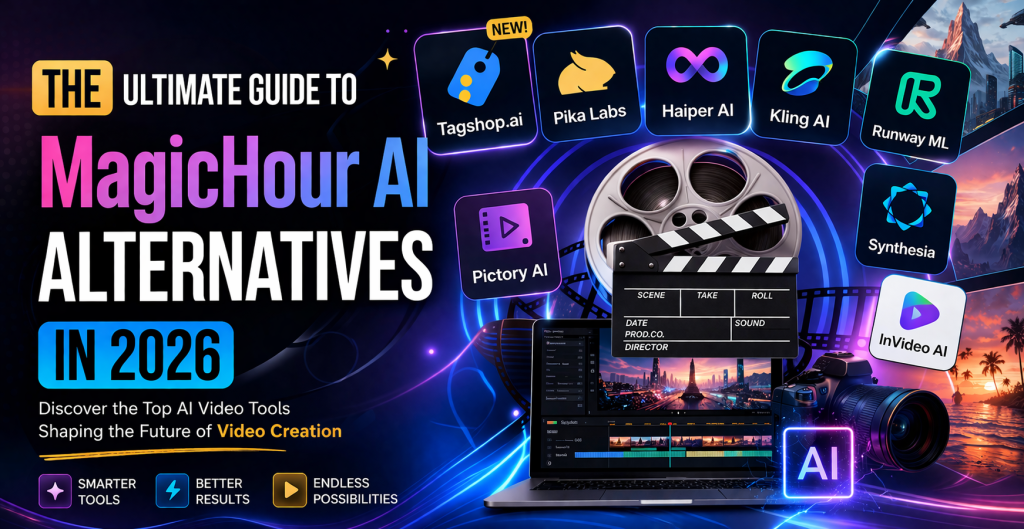
The age of mobile-first digital content creation is gone. Nowadays, when talking about modernizing content creation processes and workflows, everyone mentions the rise of artificial intelligence. Whereas MagicHour paved the way for AI-powered face-swaps and style transfers, today’s requirements call for a higher degree of Content that looks real, moves like real life, and lets people buy things easily.. If you find MagicHour’s level of customizability too limited and “Close but strange” results produced by the software too Creepy, keep on reading.
1. Tagshop AI
Tagshop AI is a modern AI-driven platform built specifically to simplify and optimize video ad creation for marketers and brands. It focuses on turning raw content, including user-generated content, into high-performing video ads with minimal effort. By combining automation with performance-focused features, Tagshop AI enables businesses to produce conversion-oriented ads quickly without requiring professional editing skills or large production budgets.
Key Features:
- AI-powered video ad generation
- Automated script creation
- Integration with eCommerce platforms
- User-generated content integration
- Smart editing and branding tools
Advantages:
- Highly optimized for marketing and conversions
- Easy-to-use interface for beginners
- Strong focus on ad performance
- Supports multiple content formats
Disadvantages:
- Limited credits in the free plan.
Tagshop AI is ideal for brands looking for a balance between automation and performance-driven results.
2. Pika Labs
Pika Labs has quickly grown from an experimental project into one of the leading AI video generators available today. It enables creators to produce short-form videos from simple text prompts, making it a great fit for platforms like TikTok, Instagram Reels, and YouTube Shorts.
What sets Pika apart from many competitors is its ability to control motion and camera direction. Instead of relying on unpredictable outputs, users can guide how scenes unfold, making it a strong alternative to MagicHour AI for those who want more hands-on creative control.
Key Features:
- Text-to-video generation from prompts
- Image-to-video animation
- Motion and camera control
- Built-in sound effect generation
Advantages:
- Greater creative control than many alternatives
- Well-suited for viral, short-form content
- Fast rendering and quick outputs
Disadvantages:
- Less effective for marketing or ad-driven use cases
3. Haiper AI
Haiper AI takes a different approach to video generation by emphasizing mood, atmosphere, and storytelling rather than pure realism. Using advanced perceptual models, it understands lighting, textures, and composition to create visually rich and immersive scenes.
This makes it especially valuable for branding and creative projects where visual quality and emotional impact matter more than speed.
Key Features:
- Advanced lighting and atmosphere controls
- Text-to-video and image-to-video generation
- Strong texture consistency and visual detail
- Scene continuity through seed persistence
Advantages:
- High-quality cinematic output
- Consistent visuals across scenes
- Ideal for premium creative work
Disadvantages:
- Still maturing compared to more established tools
- Not optimized for marketing workflows
4. Kling AI
Kling AI stands out as one of the most advanced tools for generating realistic video. It excels at simulating complex scenes with impressive accuracy, often producing results that closely resemble real footage.
Its strong rendering and motion capabilities make it a top choice for professional use, including ads and product showcases.
Key Features:
- Highly realistic video generation
- Advanced motion and physics simulation
- High-resolution output (up to 4K)
- Accurate human anatomy rendering
Advantages:
- Exceptional realism and detail
- Suitable for professional production
- High-quality results for commercial use
Disadvantages:
- Not доступible in all regions
- Requires some technical familiarity
5. Runway ML
Runway ML is one of the most comprehensive AI video platforms, combining generation and editing tools in a single environment. It allows users to create, edit, and enhance videos with a high degree of control.
It’s especially popular among professionals who need flexibility in their workflows.
Key Features:
- Text-to-video generation
- Inpainting and outpainting tools
- Motion brush for targeted animation
- Storyboard-to-video capabilities
Advantages:
- Versatile and feature-rich
- Professional-grade editing tools
- Suitable for complex productions
Disadvantages:
- Steeper learning curve
- More expensive than entry-level tools
6. Pictory AI
Pictory AI focuses on turning written content into video, making it ideal for repurposing blogs, scripts, or articles. It prioritizes speed and automation over creative control.
Key Features:
- Script-to-video conversion
- Automatic subtitle generation
- AI voiceovers
- Content summarization using NLP
Advantages:
- Saves significant time
- Beginner-friendly
- Great for educational and informational content
Disadvantages:
- Limited creative flexibility
7. Synthesia
Synthesia is a leading platform for AI avatar-based video creation. It’s widely used in corporate settings for training, presentations, and internal communication.
By turning scripts into videos with digital presenters, it removes the need for filming or hiring talent.
Key Features:
- Customizable AI avatars
- Multi-language and accent support
- Pre-built templates
- Script-to-video automation
Advantages:
- Highly scalable production
- Ideal for business use
- No need for cameras or studios
Disadvantages:
- Limited creative range
- Higher cost for advanced features
8. InVideo AI
InVideo AI is designed for simplicity and speed, making it a great option for beginners and small businesses. It uses templates and automation to streamline video creation.
Key Features:
- Ready-made video templates
- Text-to-video functionality
- Drag-and-drop editing
- Social media integrations
Advantages:
- Easy to use
- Fast production workflow
- Affordable pricing
Disadvantages:
- Results can feel somewhat generic
- Limited advanced customization
2026 Comparison Matrix of AI Video Tools
| Tool | Core Strength | Ideal User | Pricing Tier | Learning Curve |
| Tagshop.ai | Conversion & UGC | E-commerce Brands | Professional | Easy |
| Pika Labs | Viral Creativity | Social Creators | Freemium | Easy |
| Haiper AI | Visual Artistry | Film/Ad Directors | Mid-Range | Moderate |
| Kling AI | Physical Realism | VFX Studios | Enterprise | Moderate |
| Runway ML | VFX & Control | Pro Editors | Professional | High |
| Pictory AI | Speed & Repurposing | Bloggers/B2B | Affordable | Very Easy |
| Synthesia | Avatar Presenters | HR/Sales Teams | Enterprise | Easy |
| InVideo AI | Template Simplicity | Small Biz | Affordable | Very Easy |
To pick the right tool for yourself, you must consider the following factors:
Step 1: Your Primary Goal
If your aim is sales, use Tagshop. Shoppable layers and UGC make videos more effective and trustworthy.
If you want to provide your audience with more info, choose either Synthesia or Pictory.
If you want to impress your audience, use Kling AI and Haiper.
Step 2: What Source Material Do You Have?
Text-only source: Pictory and InVideo AI.
Image-only source: Tagshop or Pika Labs.
Badly made footage: Runway ML is always a good choice.
Step 3: Your Scale of Projects
If you have one project to work on, use Runway. If you have to produce 100 videos per day, consider using InVideo AI.
Why Are MagicHour Tools Becoming Obsolete?
First, MagicHour AI is good for “transformations,” e.g., taking one video and making it look like another. Second, MagicHour doesn’t provide generative capabilities as effectively as modern AI tools. In recent years, the market has moved from transformative video generation to generative one.
In essence, you can start with an abstract idea of what you’d like to have. After that, your AI will turn it into video footage. Tools like Kling and Runway ML provide high flexibility and precise control. As for Tagshop, it’s the tool that allows for generating dozens of videos at once.
FAQ
Is it Legal to Use AI Videos for Monetization on YouTube?
Answer: Yes. As per YouTube regulations, you should disclose that the footage was created with the help of AI. Tools like Pictory AI and InVideo AI allow creators to create content anonymously without showing their faces.
For Which Platform Should I Use Tagshop?
Answer: Definitely for TikTok! Since the platform recently introduced the concept of shoppable layers, the AI has become even more relevant.
Do I Need Special Equipment or Software to Use Them?
Answer: Nope. All eight tools in the guide are cloud-based. You don’t have to have powerful equipment or any software on your PC because the processing is done in the browser.
Can I Use Free Versions for Monetization?
Answer: Usually, you can’t. Free tiers typically limit you to personal purposes. Make sure to read the TOS to avoid any legal troubles.
Conclusion
We live in a “MagicHour era” where artificial intelligence is used on a large scale in the video production industry. Although MagicHour is a good tool for face swapping and transformations, it lacks many essential features that can help you boost ROI.
 Get Alternative
Leave a comment